Campus Resource Scheduler
Brief Overview
I had the pleasure of working with four other students (Zeyao Zhou, Sungwon Han, Arthur Acenas, Eric Chae) for our final project in ICS 314: Software Engineering. The campus resource scheduler was designed with over 20,000 students in mind. We wanted to improve the efficiency and ease of borrowing and lending campus resources within the university. This process has been notoriously time-consuming and not worth the effort as many students had to navigate through outdated GUIs and processes to borrow campus resources. Furthermore, we implemented an AI chatbot to encourage students to borrow resources.
My Contributions
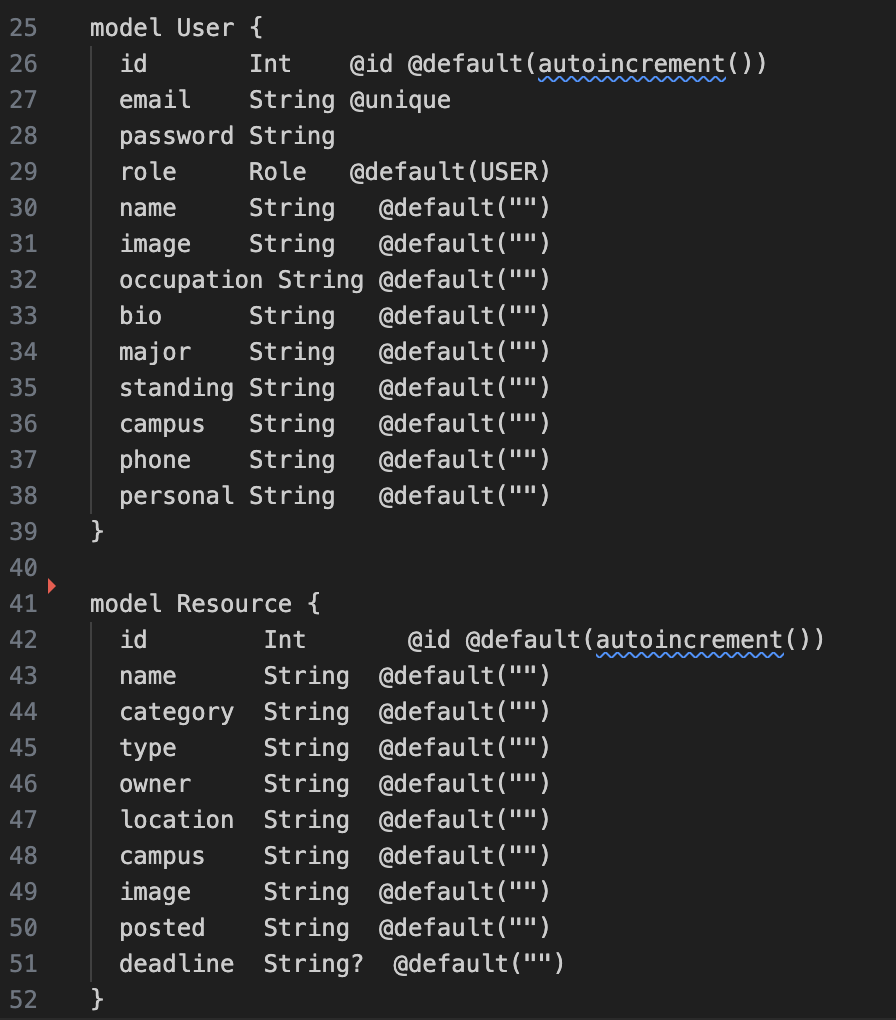
I actually had a lot of different roles in this project. I was in charge of creating our page mockups, designing our schema for our database, creating our profile page and landing page, creating our AI chatbot, writing our Playwright tests, and a lot of other minor roles. I definitely felt as though I directed most of our technical decisions as a group such as whether we needed to restart the database or the project, how our website should look like in terms of the themes and general aesthetic, what types of data our User and Resource objects would have, and how we would handle deployment and database errors.
1. Landing Page
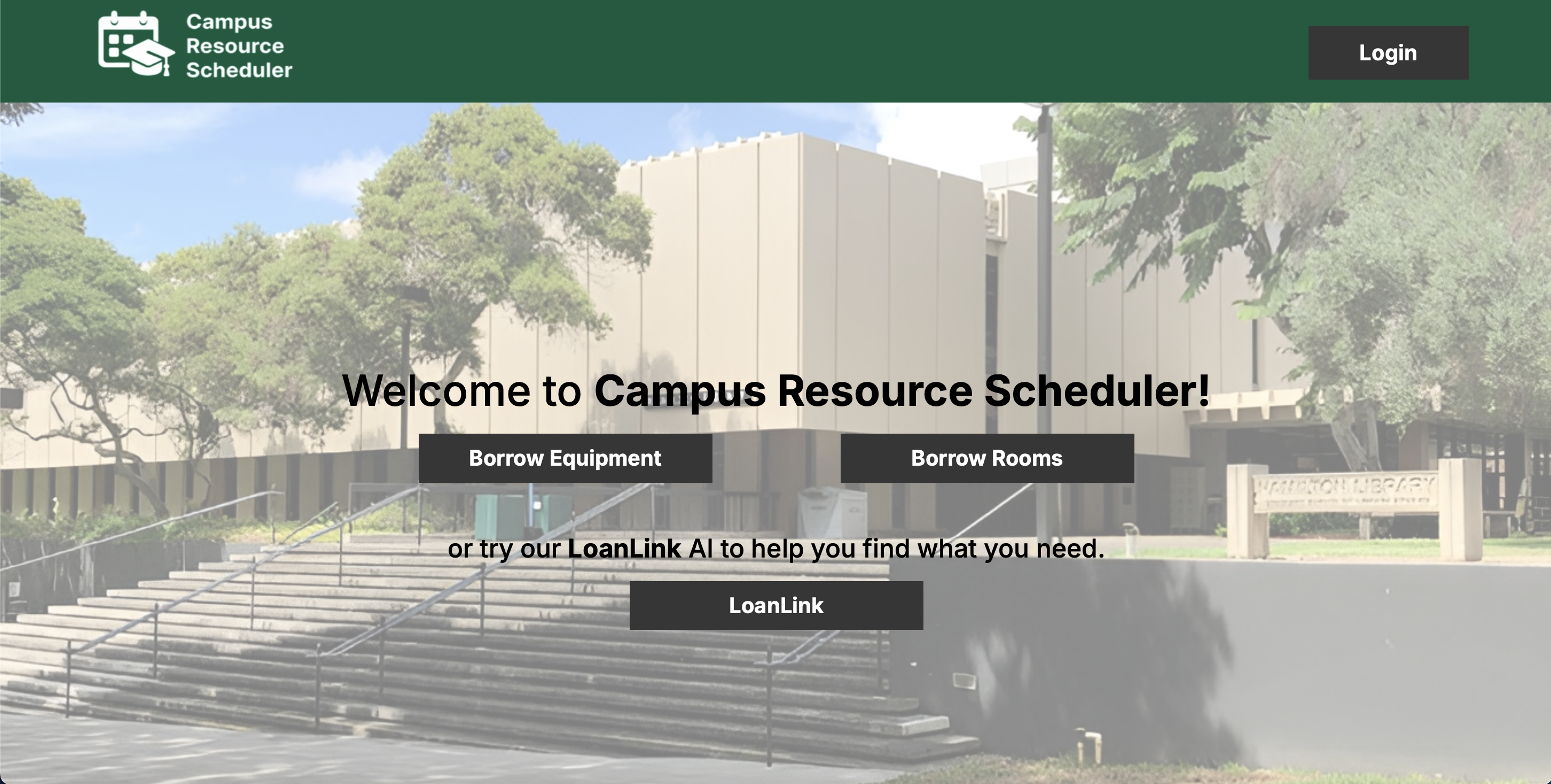
This was personally my first major milestone as this was the first page ever created for the site as a whole. Along with creating the landing page, I also designed the navigation bar and footer content.
2. Profile Page
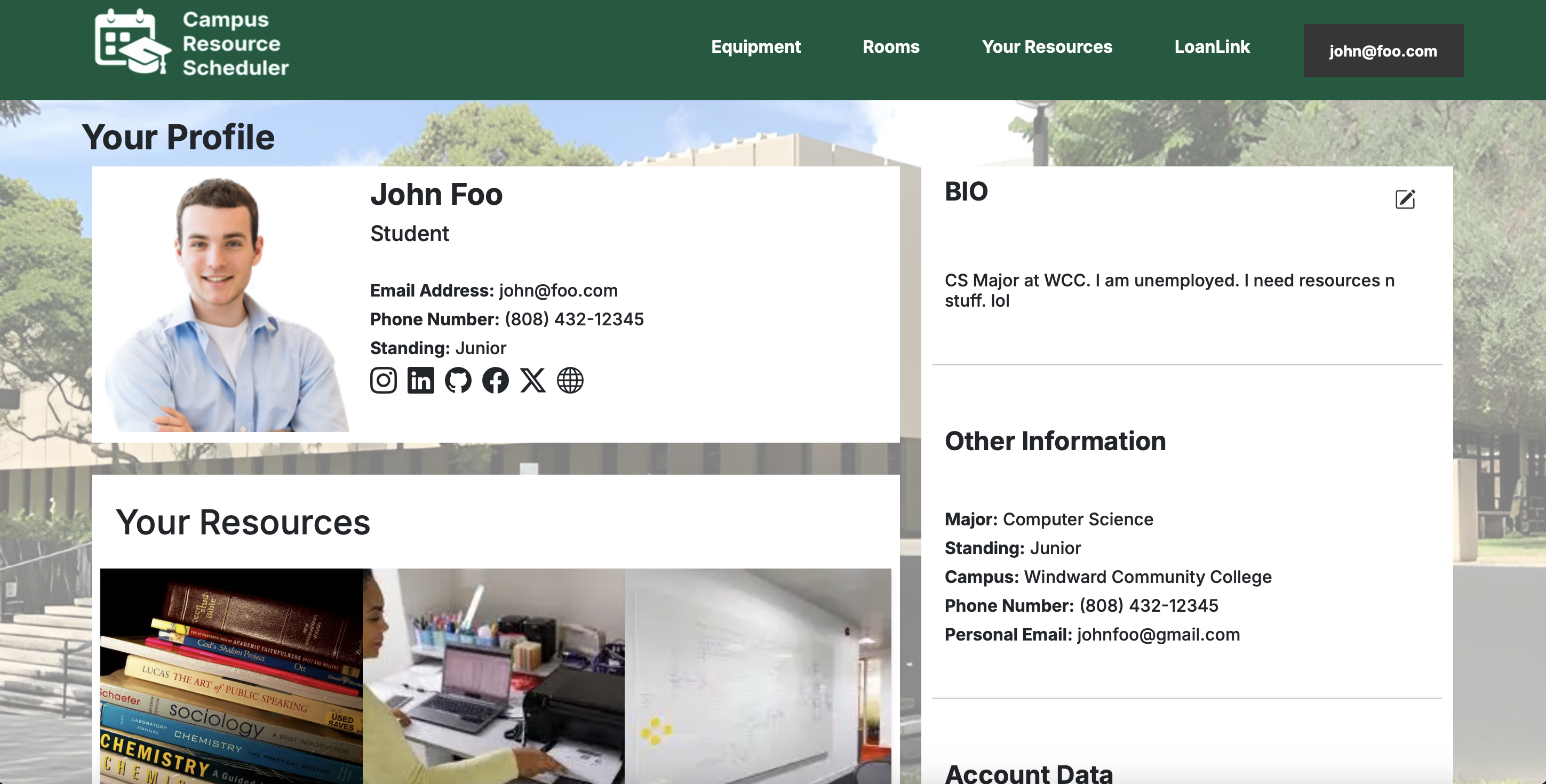
The profile page was my second major milestone. This was also around the time when I created the data required for the User object. This was the first page in our site to have database read functionality as well as updating database values.
3. Chatbot
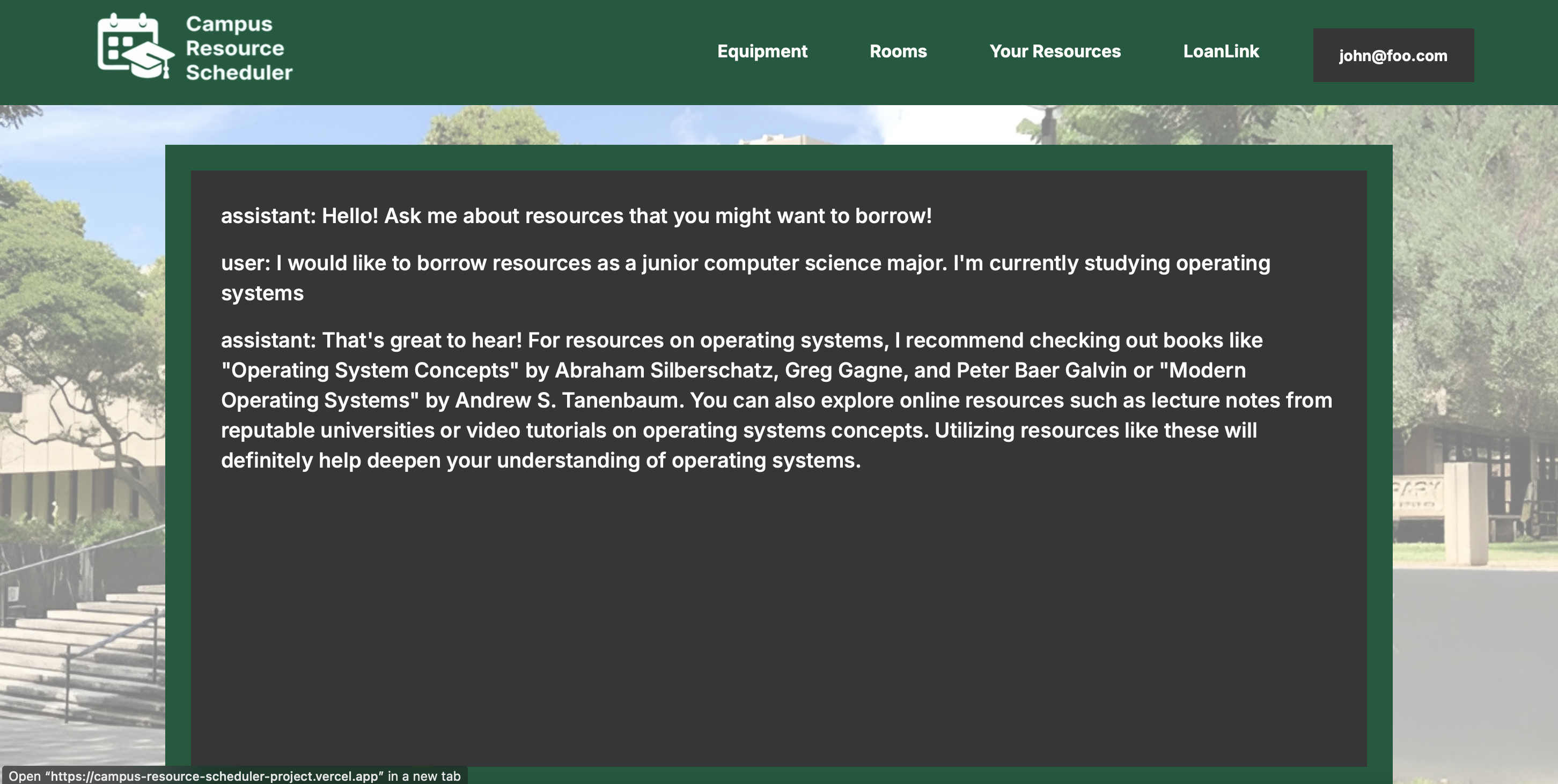
This was my third and, by far, most difficult milestone. Despite there being a lot of documentation for implementing a chatbot, oftentimes these were either too generic, too niche, or had deprecated solutions. I had to adapt at least 3 different solutions and combine them into one working chatbot that works for our frameworks and methods. For now, it only acts like your average chatbot with a greater focus on borrowing and lending campus resources. For future improvements, I believe that we would be able to connect the AI to the database so that it reads the user’s data and scans through our catalog of available resources to provide better resource suggestions fit for each user.
4. Prisma Schema
Currently, we only use Strings for basically all of our data types. This isn’t the most secure method as any user could simply put inaccurate values into vital fields such as major or standing.
5. Playwright Testing
Our Playwright tests were relatively simple as they just check some fields for some pages.
6. Mockup Pages
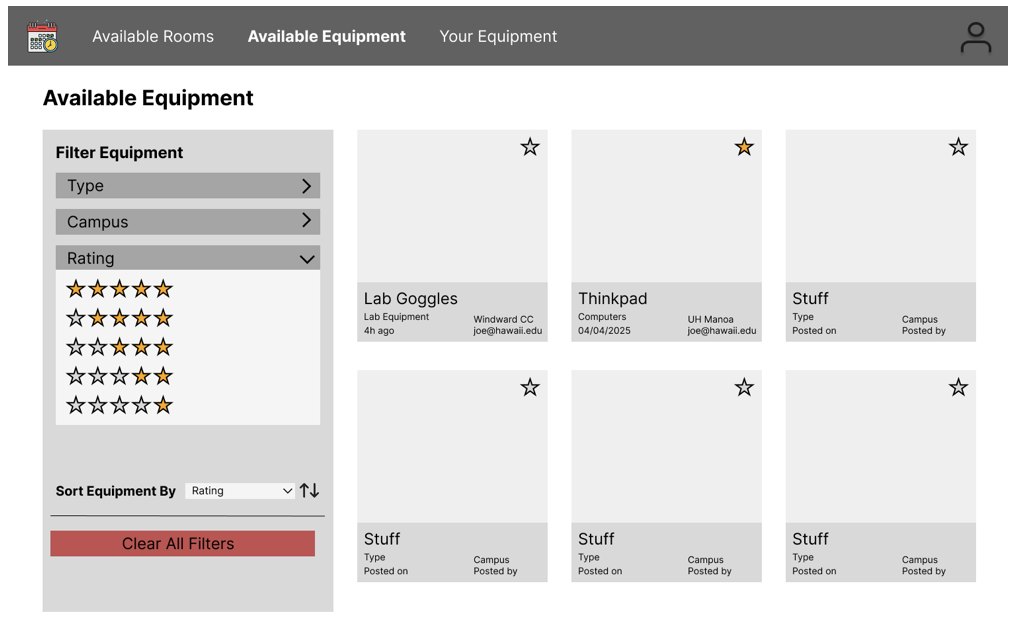
I used Figma to design our mockup pages. This was a pretty fun experience as I was able to gather input from our group and adjust the mockups accordingly. I definitely got feedback for features that I initially thought were good, but were obviously unnecessary for other members.
What I Learned
Something I valued and gained out of this project was a greater desire to work with people to create more projects that could make a huge impact on the community. While I prefer working by myself for most projects, I realize that sometimes, it’s better to work with more people even if you need to get them up to speed. Team-driven projects create new relationships with like-minded individuals who are also interested in bettering the community one software project at a time.
A few technical things I learned were: agile project management, configuration management, Git projects, AI integration, and playwright testing. The fact that project management seems to be far more important than software development itself by the end of the semester still continues to amaze me. Management was definitely the second most important thing I’ve learned from this project.
Tech Stack
- NextJS 👨💻
- Typescript 📝
- Git 🐈⬛
- Agile Project Management ⏰
- OpenAI 🤖
- Vercel 🔋
- Supabase 💾
- PostgreSQL 📋
- Playwright Testing 🎭
Links
- Link to Documentation
- Link to Github Project
- Link to Deployed App